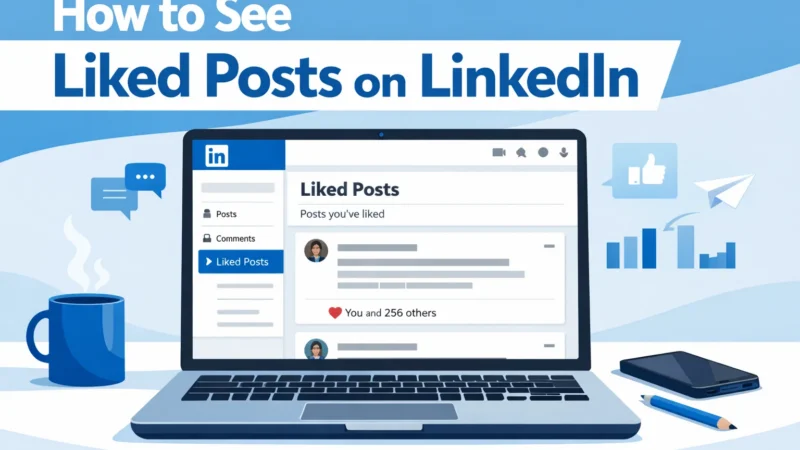
LinkedIn keeps a record of all the posts you interact with, including the posts you like. This feature allows users to revisit content they previously engaged with.
Whether you’re trying to find a post you liked earlier or track your activity history, LinkedIn provides a simple way to access it.
In this guide, you’ll learn how to see liked posts on LinkedIn step-by-step.
Quick Answer
To see liked posts on LinkedIn:
-
Go to your LinkedIn profile
-
Click Activity
-
Select the Likes tab
-
View all posts you have liked
LinkedIn stores your engagement history so you can easily revisit posts.
Method 1: See Liked Posts on LinkedIn (Desktop)
Follow these steps:
Step 1: Open LinkedIn
Go to LinkedIn.com and log in to your account.
Step 2: Go to Your Profile
Click your profile picture in the top menu.
Step 3: Click “Activity”
Scroll down slightly and select Activity.
Step 4: Select “Likes”
Inside the activity section, click the Likes tab.
You will now see all posts you have liked.
Method 2: See Liked Posts on LinkedIn (Mobile App)
You can also view liked posts from the LinkedIn mobile app.
Steps:
-
Open the LinkedIn app
-
Tap your profile picture
-
Tap View Profile
-
Scroll to Activity
-
Tap Likes
All posts you previously liked will appear here.
What You Can Find in Your LinkedIn Likes
The Likes section shows all engagement you’ve made on posts.
|
Activity Type |
Visible in Likes Section |
|---|---|
|
Posts you liked |
Yes |
|
Articles you liked |
Yes |
|
Videos you liked |
Yes |
|
Comments you liked |
Sometimes |
This makes it easy to revisit valuable industry content.
Why LinkedIn Engagement Matters
LinkedIn’s algorithm heavily relies on engagement signals.
Posts that receive strong engagement are more likely to appear in:
-
LinkedIn feeds
Power Your LinkedIn Company PageBuy Company Page Followers -
Industry discussions
-
Recommended content sections
Engagement signals include:
-
Likes
-
Comments
-
Shares
Because reactions play such an important role in visibility, many businesses strategically increase engagement on their posts using services like buy linkedin likes to help boost early interaction signals.
LinkedIn Algorithm Tip
LinkedIn promotes posts that receive engagement within the first hour of publishing.
Higher engagement leads to:
|
Engagement Signal |
Impact on Reach |
|---|---|
|
Likes |
High |
|
Comments |
Very High |
|
Shares |
Extremely High |
Posts with strong early activity have a greater chance of reaching a wider audience.
Common Reasons You Cannot Find Liked Posts
Sometimes users cannot see their liked posts because of:
|
Issue |
Solution |
|---|---|
|
Activity section hidden |
Check profile activity tab |
|
Old posts archived |
Scroll further in likes section |
|
App glitch |
Update LinkedIn app |
Usually the issue is solved by refreshing or updating the app.
Best Practices for LinkedIn Engagement
To improve your visibility on LinkedIn:
-
Engage with industry posts regularly
-
Share valuable insights in comments
-
Post content consistently
-
Encourage discussions
Active engagement helps establish credibility and authority within your professional network.
Growing a strong audience base helps improve credibility and reach. Some brands choose to buy Linkedin followers to strengthen their professional presence and attract more organic engagement.
Viewing liked posts on LinkedIn is simple using the Activity → Likes section of your profile.
This feature allows you to revisit valuable content and track your engagement history. Regular engagement on LinkedIn not only helps you stay updated with industry discussions but also improves your professional visibility on the platform.